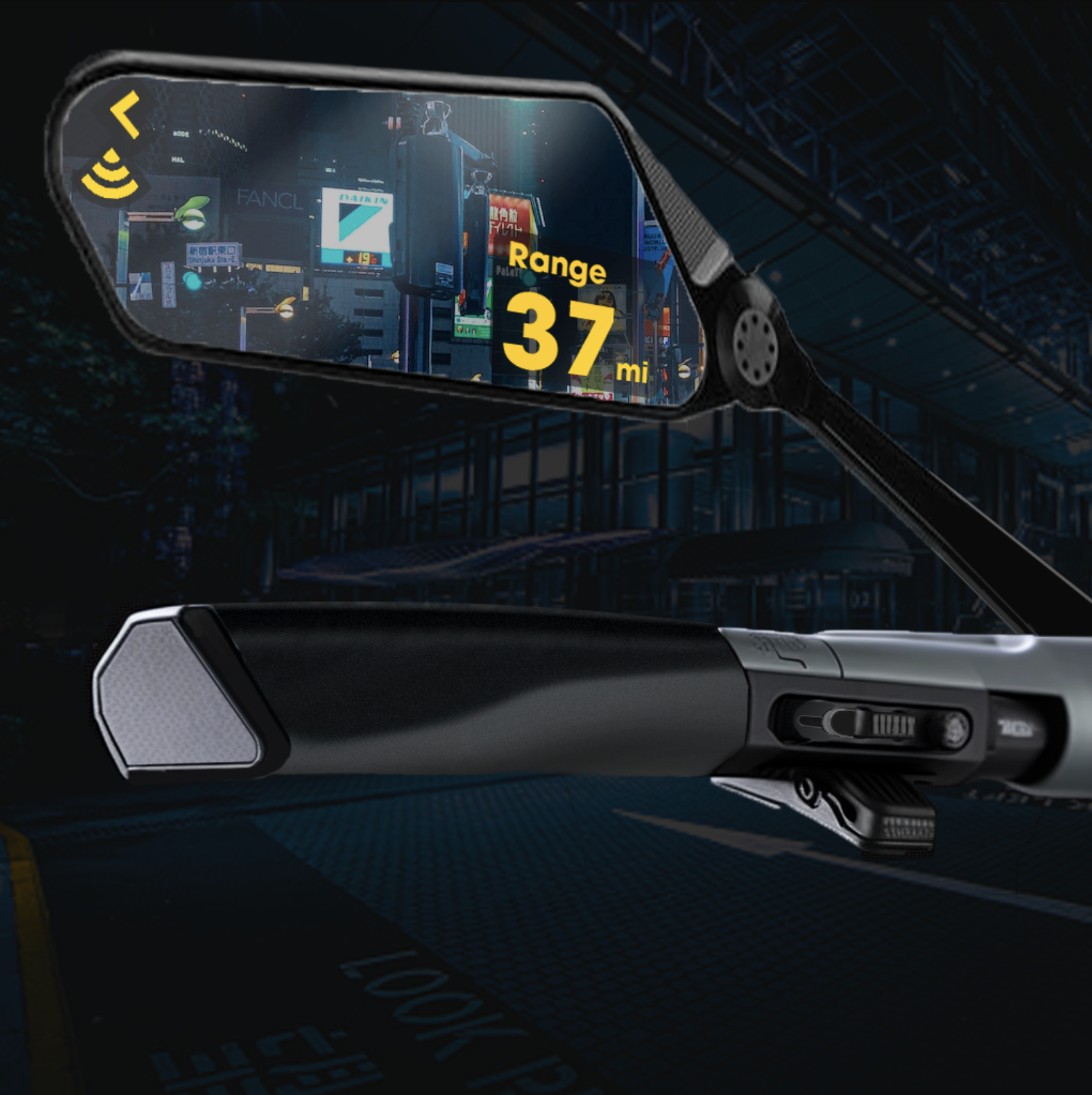
Image Blending & Ideation
Mood boards and inspo images are often instrumental in the early ideation process. What if we could use AI to augment the way we reimagine these images?
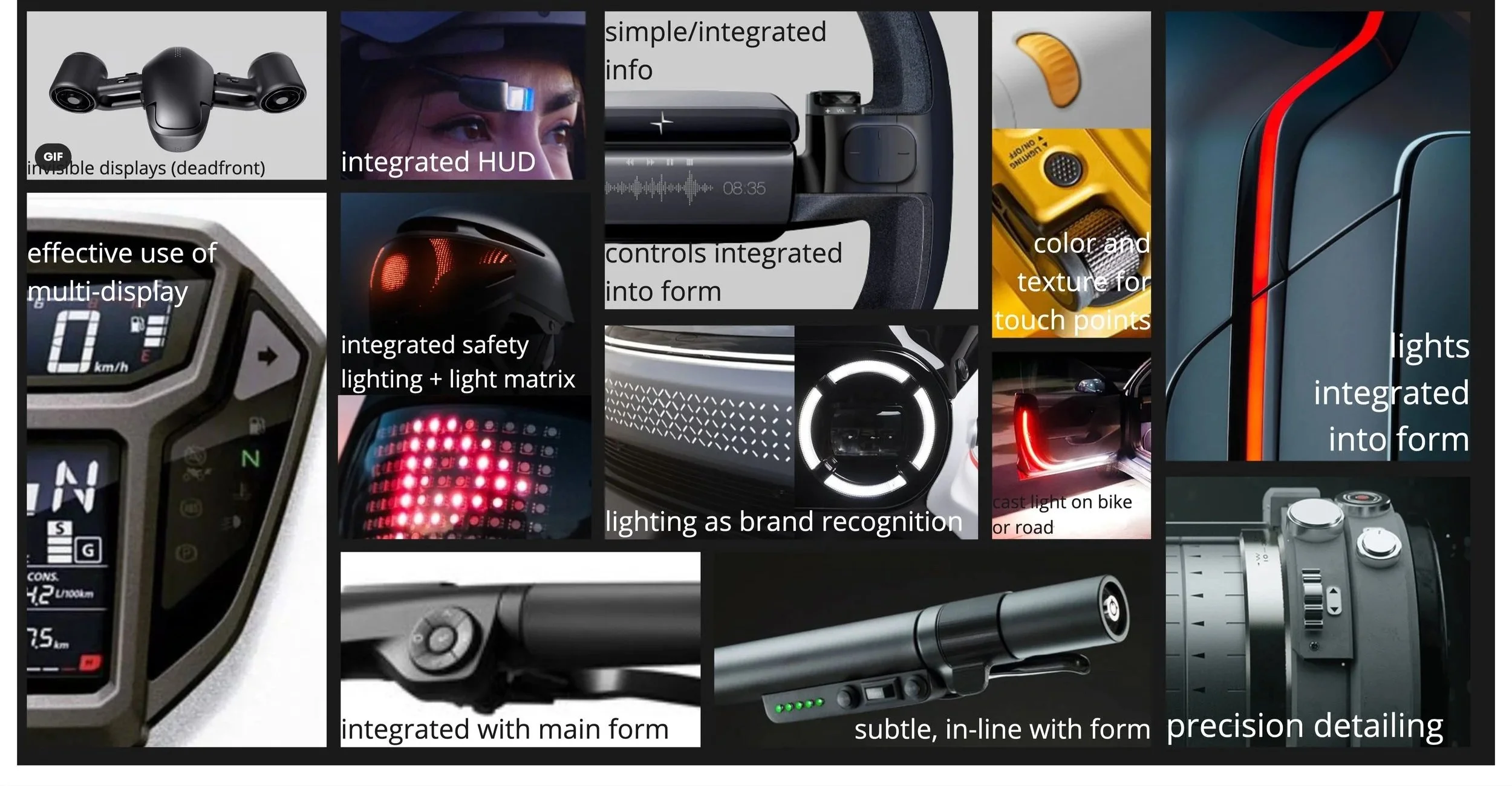
Image blending with Midjourney
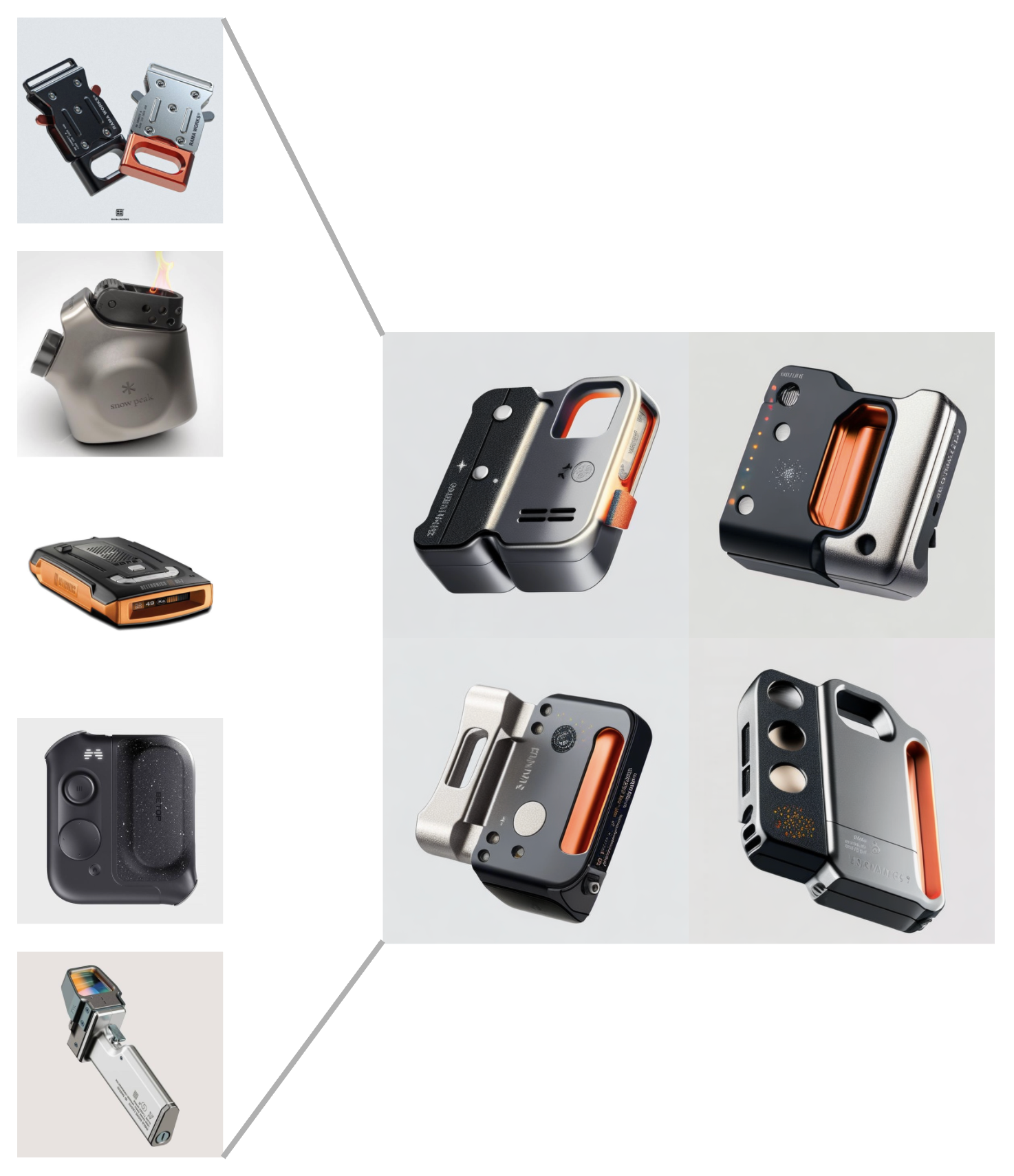
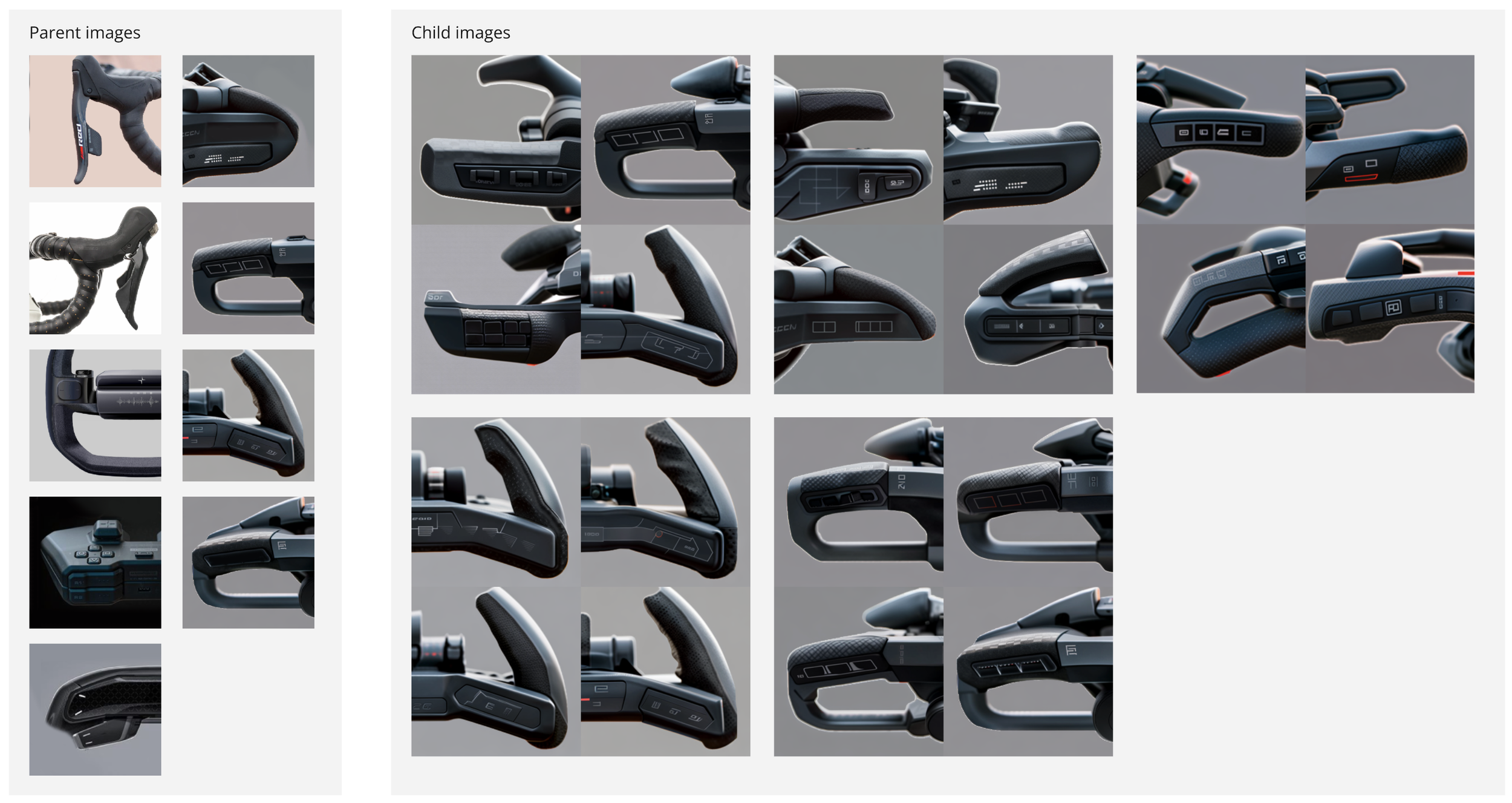
Midjourney is a generative AI tool with a variety of features. One feature that particularly fascinated me was the “/blend” command. A user can input up to five images and ask the tool to blend those images together. The tool will then create four variations based on different models it has developed.
The vertical column in the image to the right is an example of five images that I found interesting as inspiration for a consumer electronic. Midjourney “blended” them together into the resultant four images arranged in a square. Of course, none of these images on their own could pass as a sensible concept for anything but an ambiguous sci-fi gadget. However, each of them have interesting details that are representative of elements found in the original images. These new combinations and blended details can be helpful in imagining how we might apply our favorite aspects of the inspiration images into our early concepts.
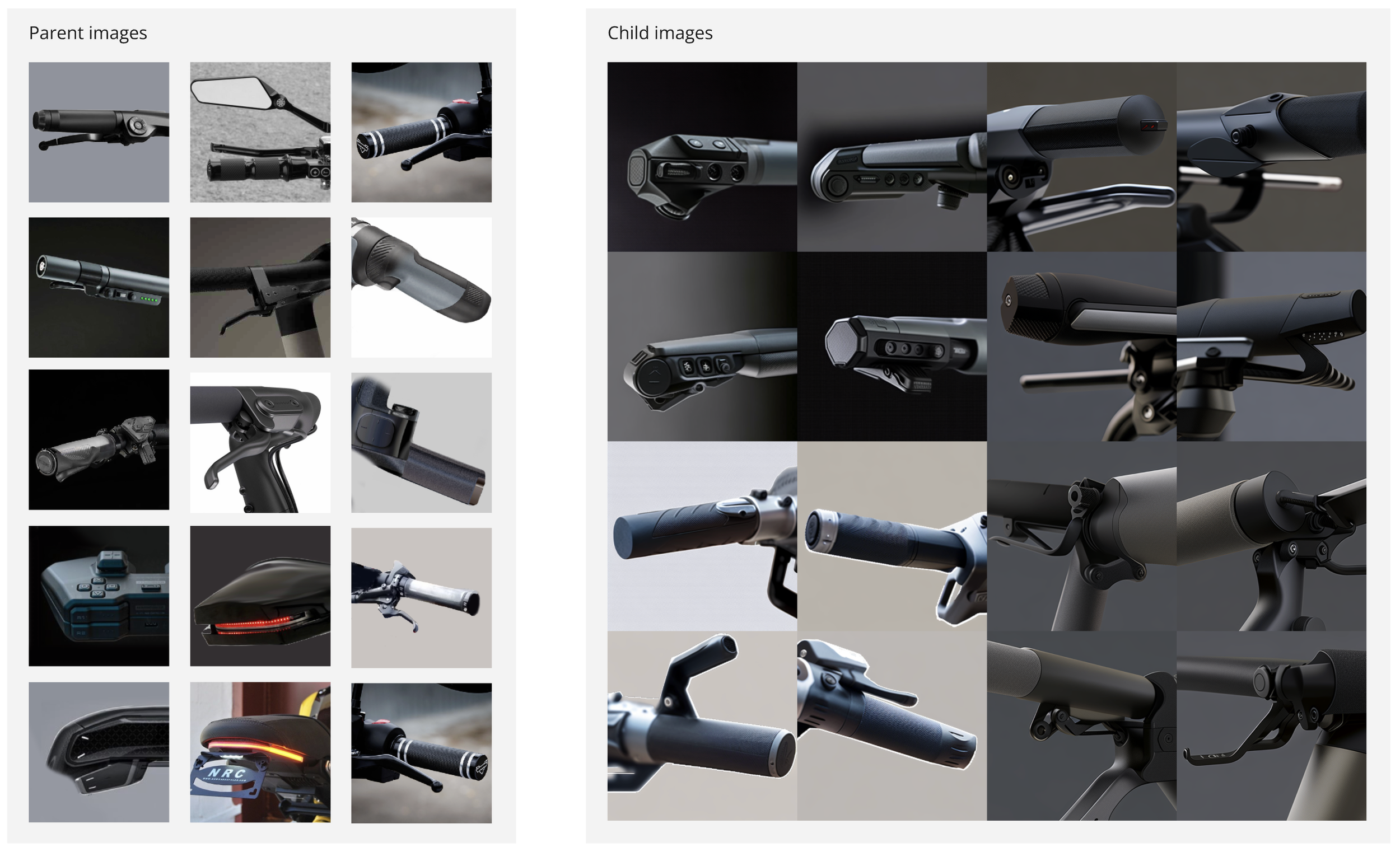
I have taken to referring to the original input images as “parent images” and the results as “child images.”
How this might work in practice
I began applying this method to some early ideation for cockpit and control designs for bikes and e-motos. But this time when the tool created a result that I liked I would make some slight adjustments to the image and then put it back into the mix with other original images. This reinforced the variations and details that I wanted to emphasize and continue exploring.
The images below are an example of that process for ideas of what the controls and grip area of an e-bike or electric moto could be.
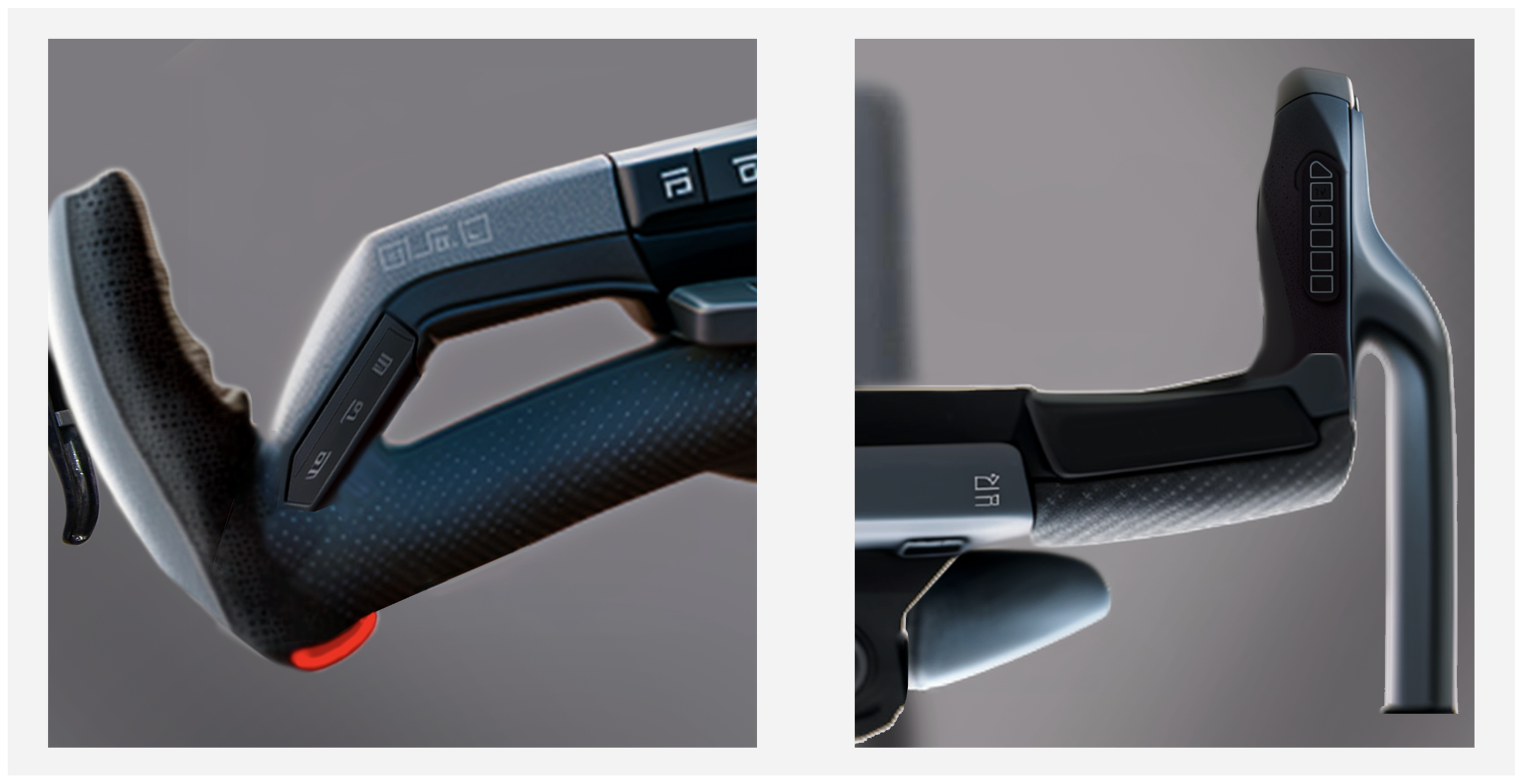
Once I had a collection of images with details that I liked, I brought them into Photoshop and clipped out my favorite parts. I then used a variety of editing tools to splice them together into more considered concepts.
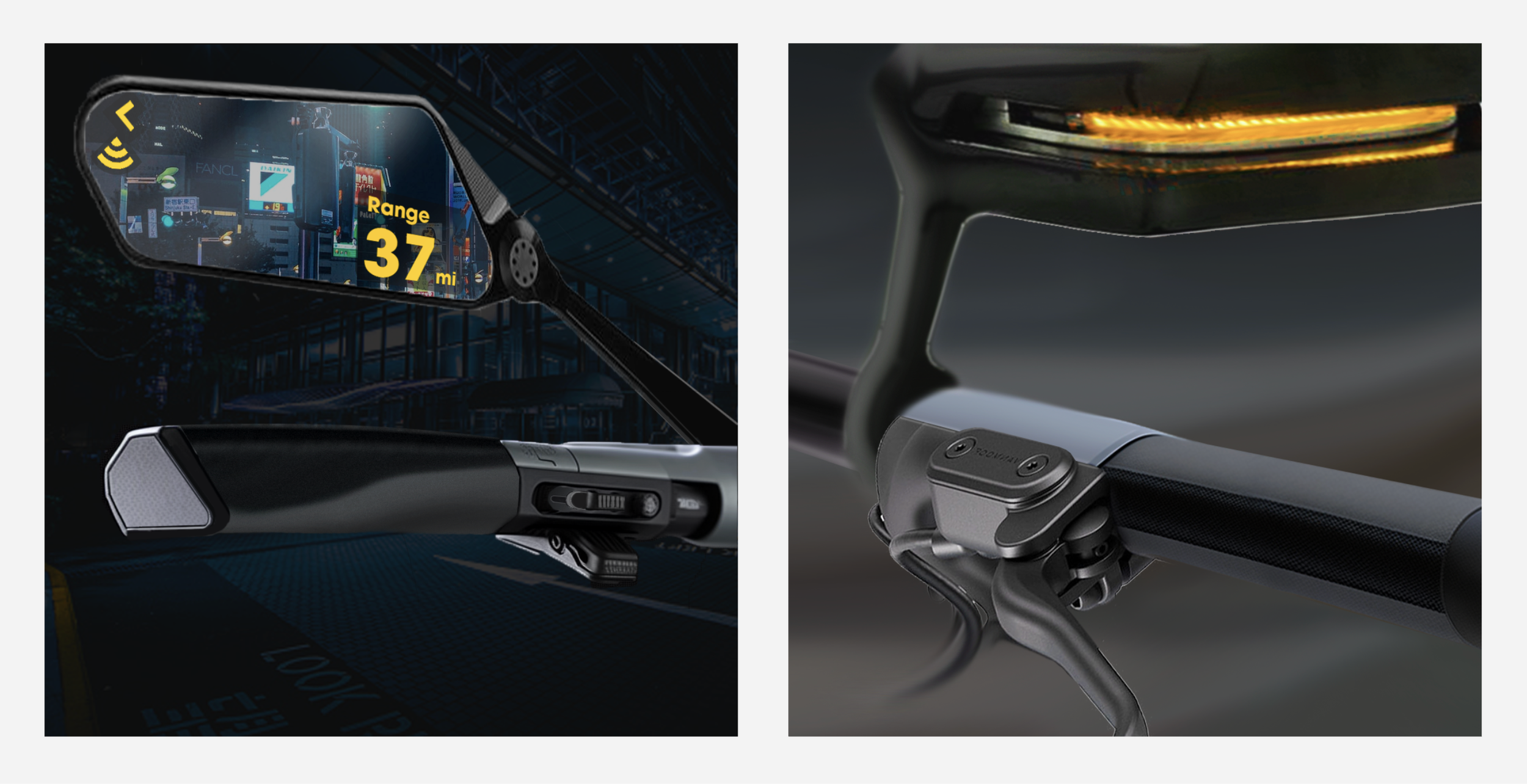
Drop bar and track bike concepts
Conclusion
This was a great exercise in familiarizing myself with a new tool and understanding it’s capabilities. It’s certainly not a replacement for original sketches. But it did help to expand the pool of visual inspiration in a very short amount of time. And it helped create some high fidelity images of interesting details that fit well with the chosen design language. I have used variations of this process in subsequent projects and found that it compliments traditional methods in the early phases of ideation.