Ping Minimalism
‘Ping minimalism’ is a consumer behavior and design trend defined as the act of removing unnecessary notifications (“pings”) from digital devices. It is rooted in a desire to reclaim control, reduce digital distractions, and foster a quieter, more peaceful existence—especially among tech-skeptical consumers who are wary of the mental fatigue and “brain rot” caused by constant online engagement.

Take back your attention.
The concept of “Ping Minimalism” was a key element of many trend reports surrounding culture and digital content. The frequency and footprint of this term and it’s sentiment lead me to believe that there is a need here worthy of addressing.
The following snippets provide a window into a larger story.
The Privacy Keepers: This key consumer persona will increasingly opt for ‘ping minimalism’ - the act of removing unnecessary notifications from their devices.
Digital Habits: Parents and caregivers will gravitate toward products that develop healthy digital habits by nudging young people to limit their screen time and adopt ‘ping minimalism.’
Digital Harmony: Some products are taking a ‘no frills’ approach to digital communication and disconnection. As attention become the ultimate commodity help consumers declutter their digital lives and embrace ‘ping minimalism.’
Gentle Marketing: Reconsider the pace and locations where you show up. Focus less on digital devices as consumers embrace ‘ping minimalism.’
Witherwill: A key term in WGSN consumer reports. To summarize: Our willpower does not break - it slowly withers. To combat the digital forces responsible for this withering many are opting for ‘ping minimalism.’
Many digital products offer features and controls that address this desire. However, I wanted to have a go at what a stand-alone product might look like.
I put this side project together over the course of a few hours in between other tasks.
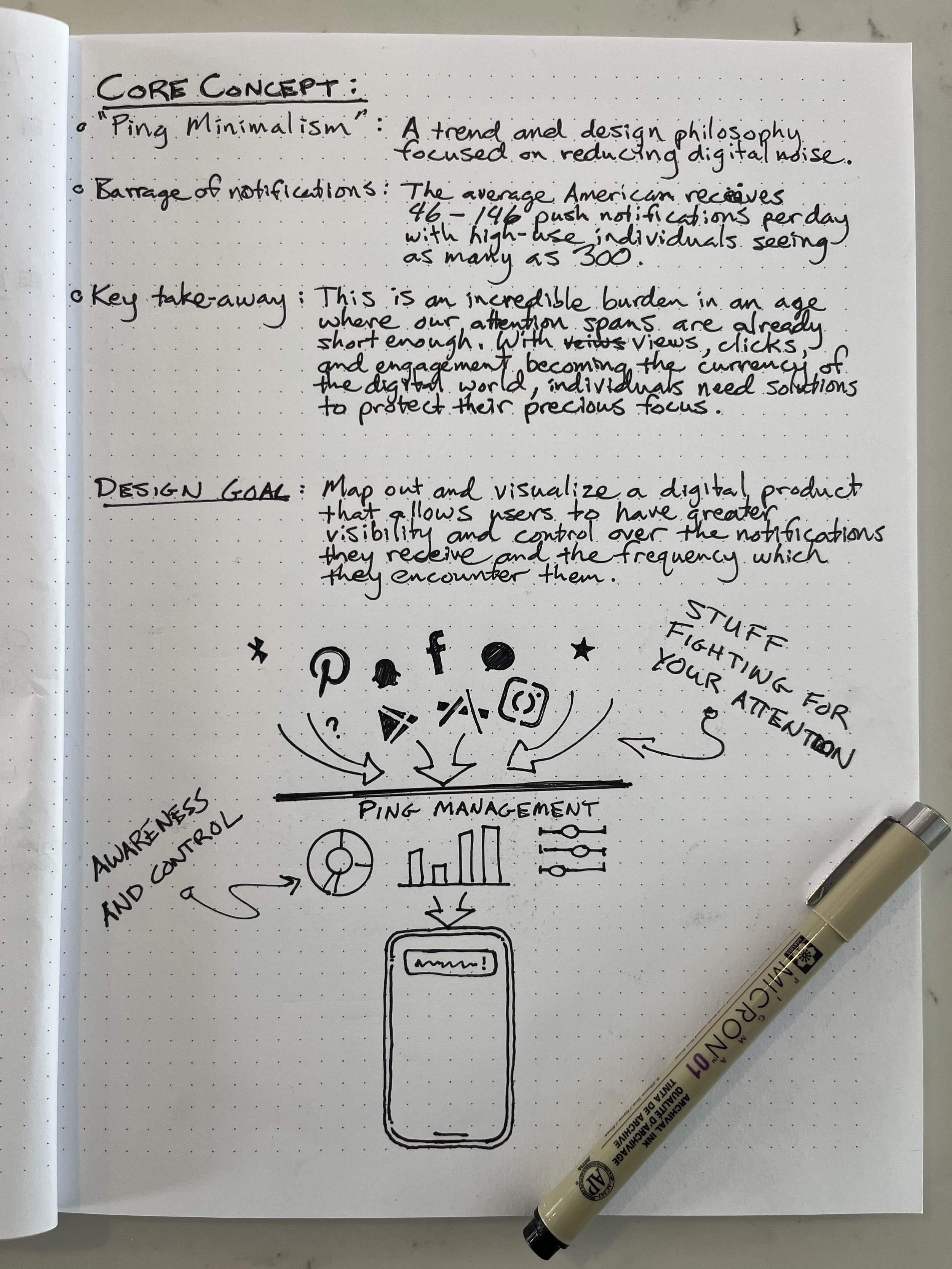
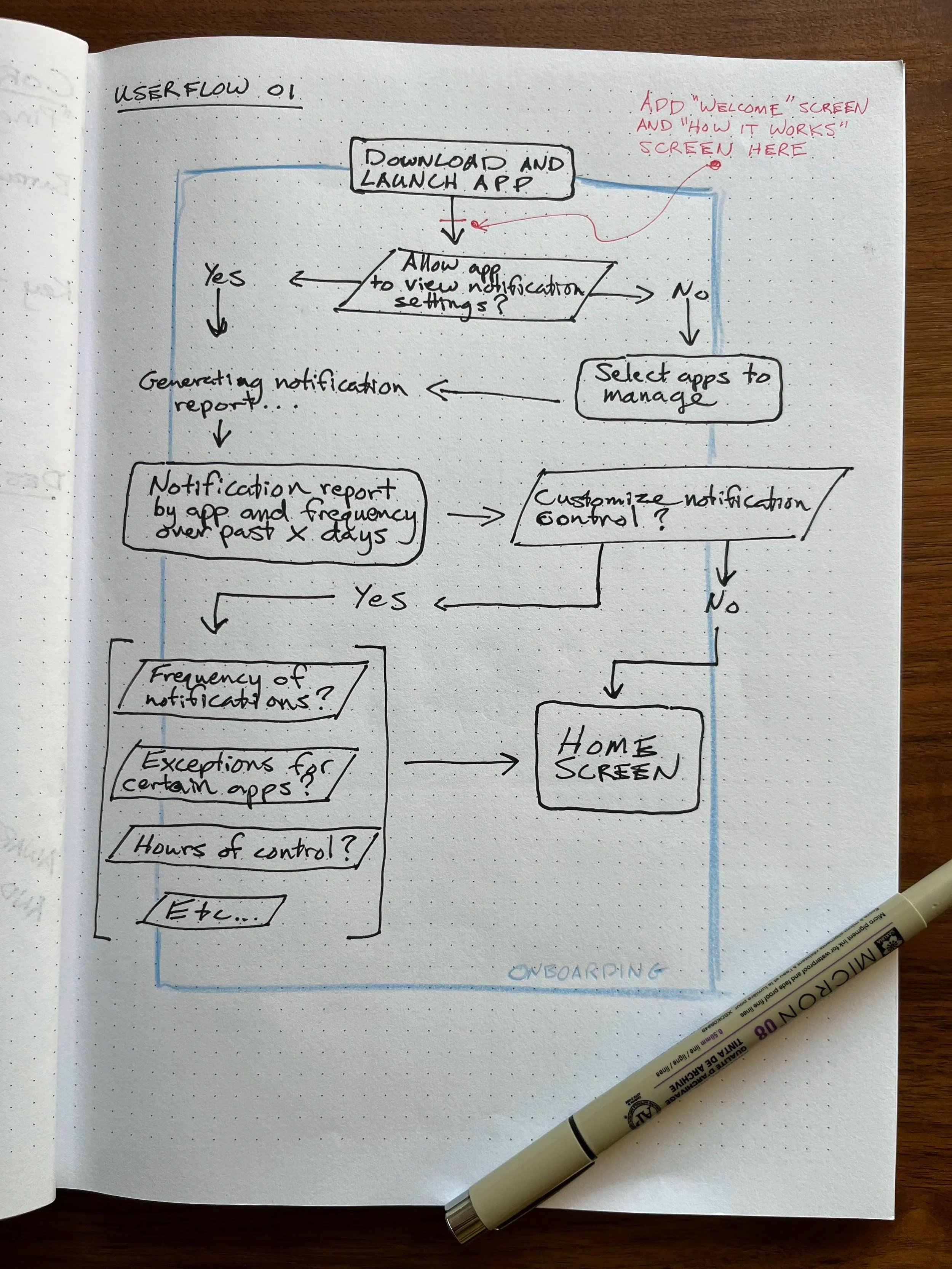
I decided this project would be a good test for Figma Make and some of the other AI tools that designers have been using to accelerate their process. However, I wanted to provide a prompt that very clearly defined my vision. So I turned to another AI tool for help.
I used Chat GPT as my collaborator to think through the structure and design of a mobile app that would address the concerns and desires outlined above. I exported my conversation and edited the output from the bot to keep what I liked best and remove unwanted or extraneous content. I then used this document to build my prompt in Figma Make.
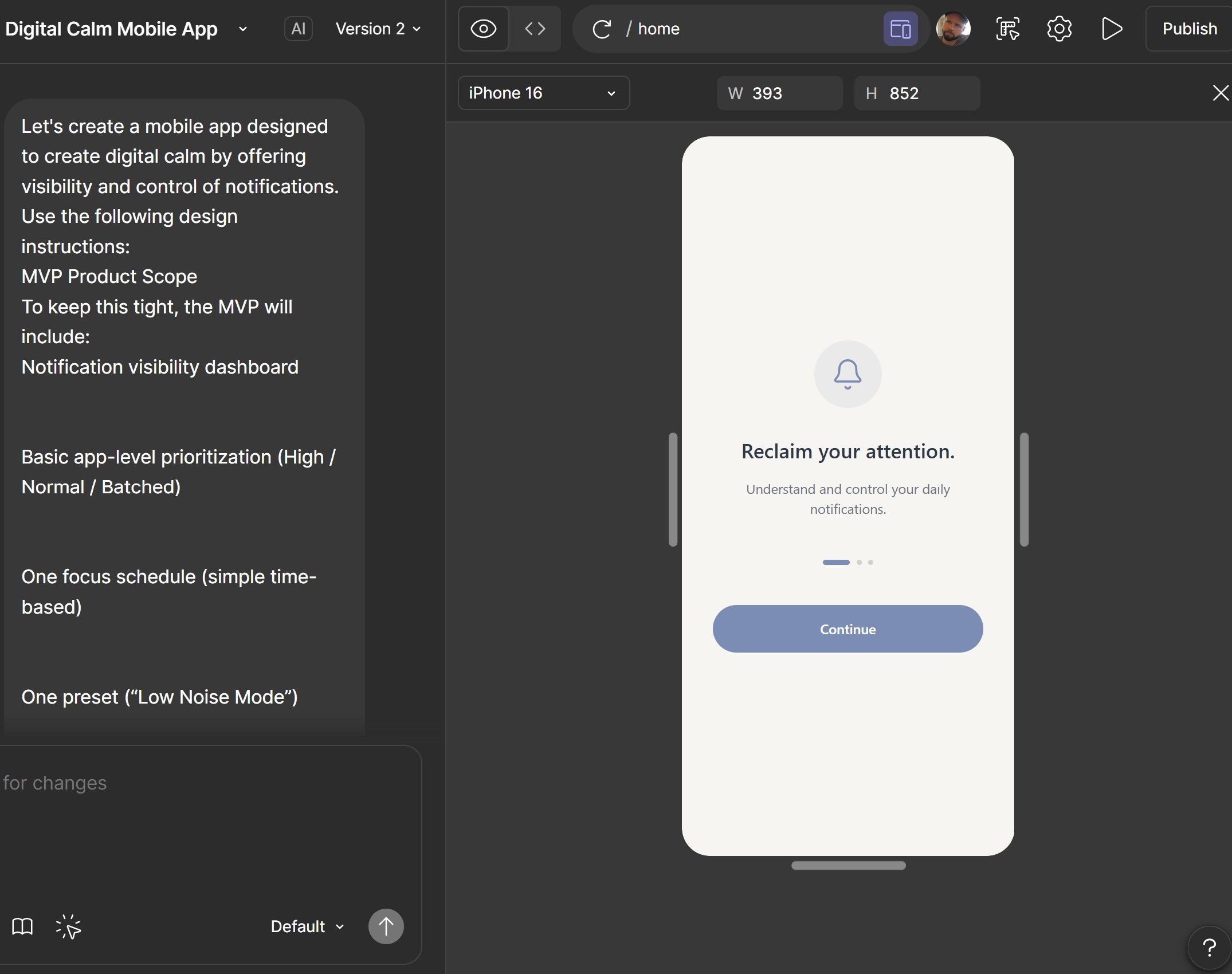
Leveraging Figma Make
Once the prompt was entered into Make it took about 60 seconds to process. (This is fair. My prompt was quite robust.) What it produced was impressive and largely in-line with my design vision.
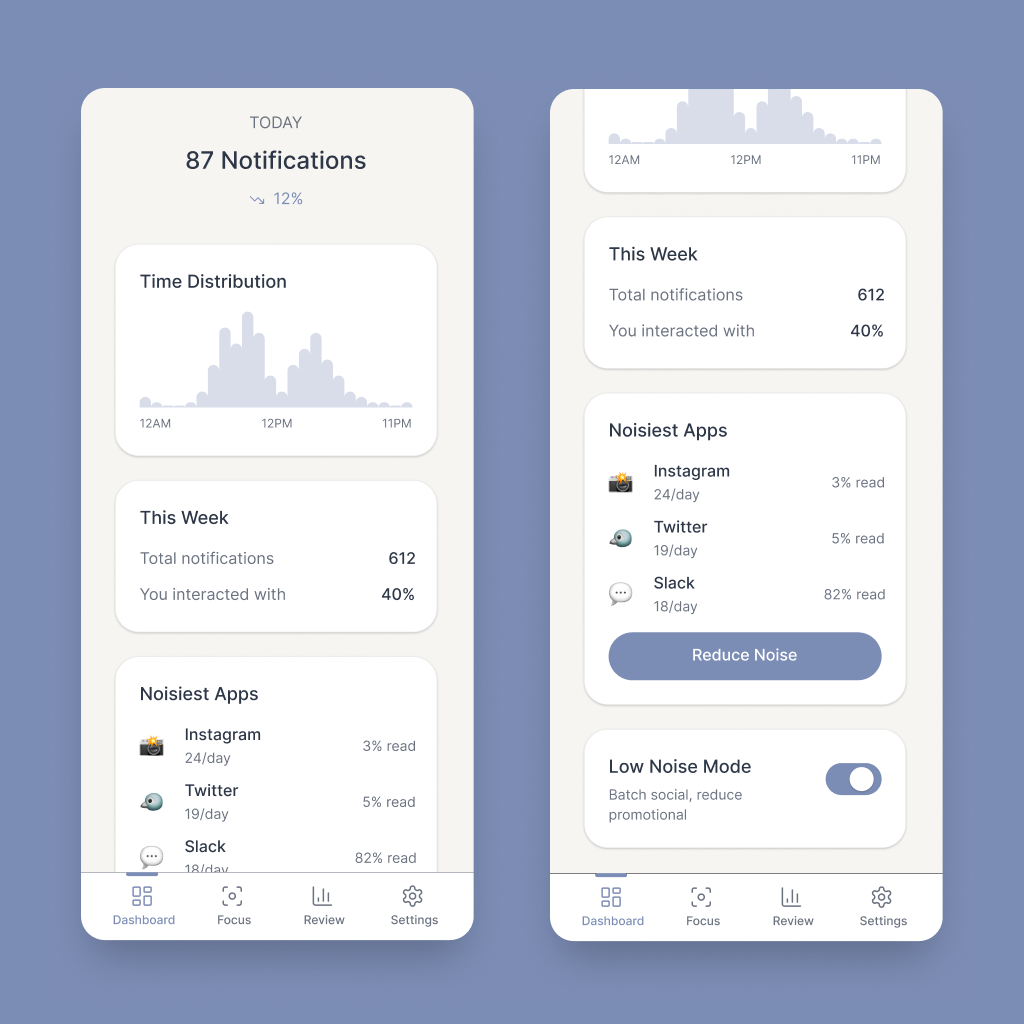
See what’s pinging you
The goal for this screen is two-fold. First, show the user what is competing for their attention. This reveal should move them to take action make use of the app’s primary feature to reduce some of the digital noise in their day. The secondary goal of this screen is to provide a place for the user to understand digital interruptions to their day at a glance.
Focus on what matters
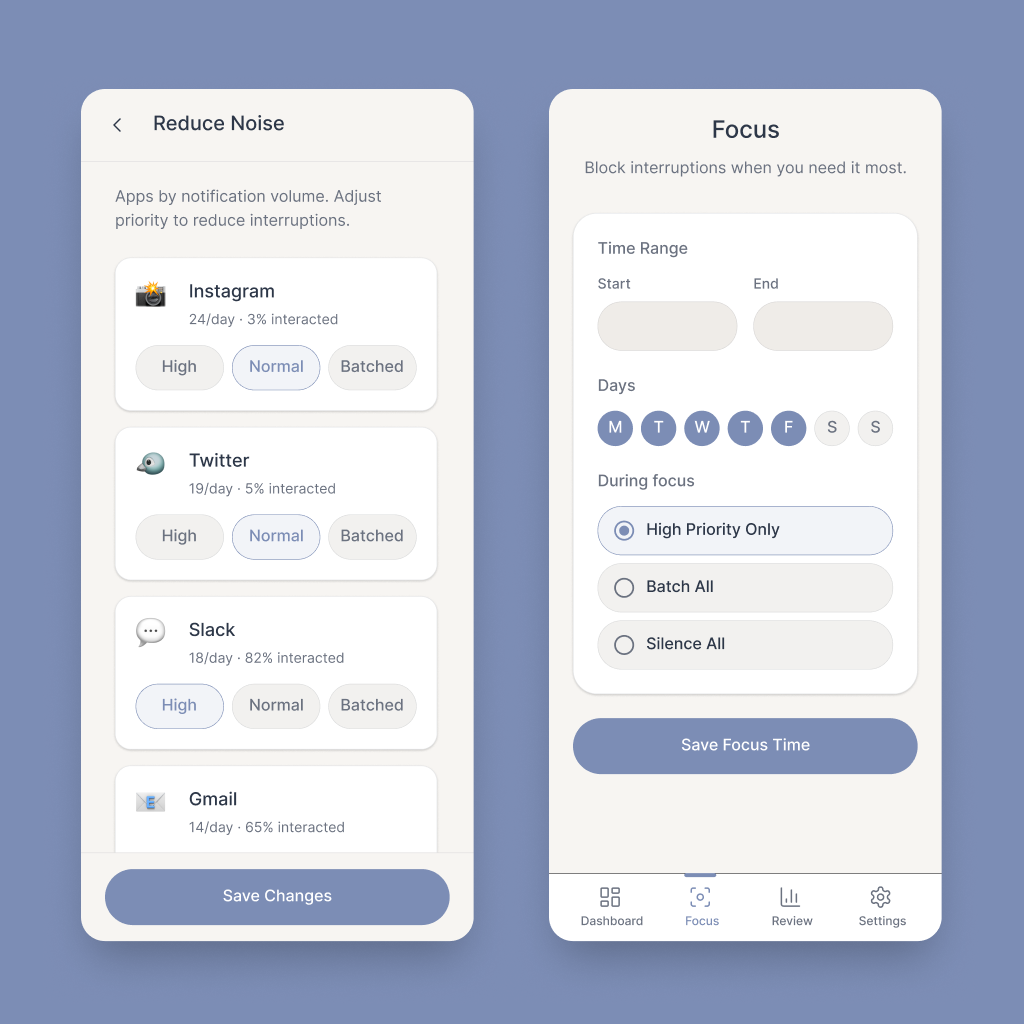
The initial call to action will help users control how often certain applications are permitted to notify them. Social media platforms and shopping apps might be grouped into batched notifications that only appear every few hours. Messenger apps and work email could be given priority and operate unencumbered. This function could be amplified by setting focus times that would increase the reduction of digital noise during particular periods of the day.
Review and adjust
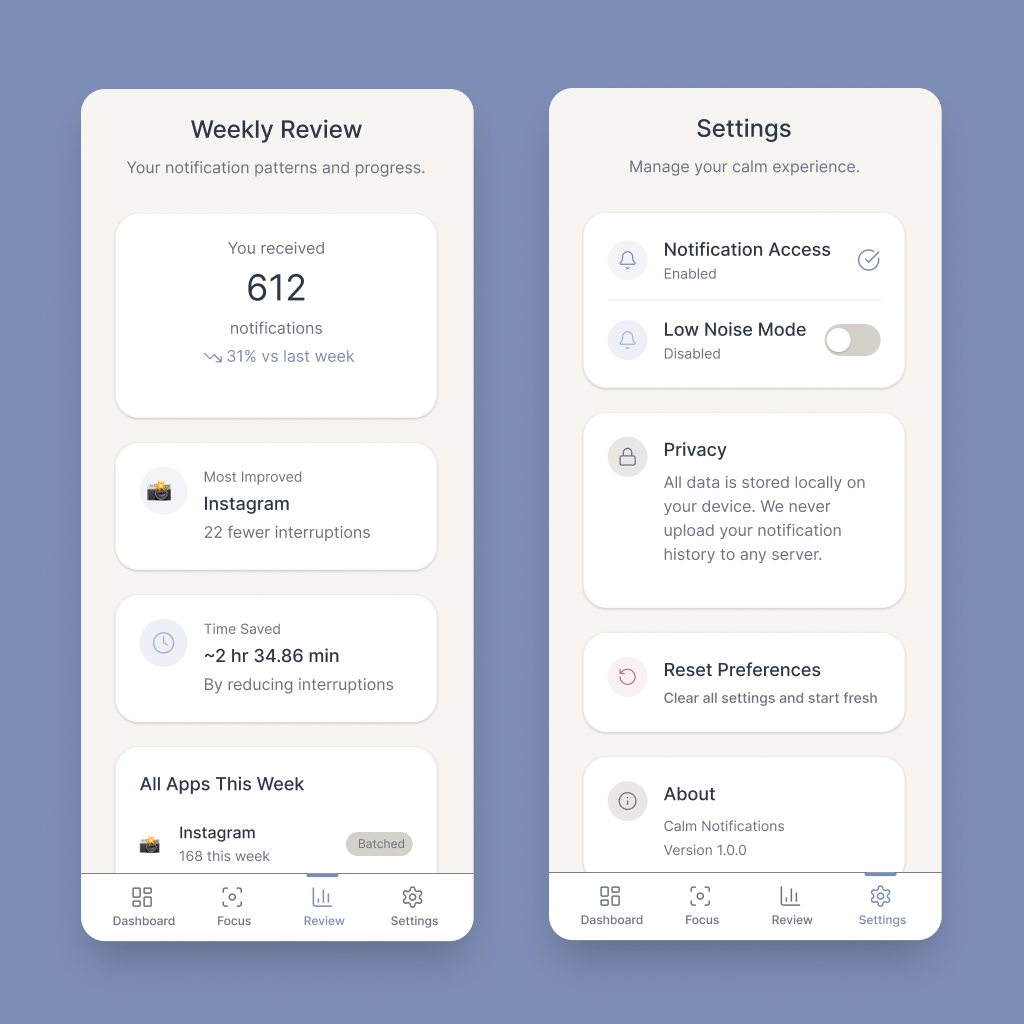
As a user integrates the features of this app into their routine they can review how their patterns of interaction with notifications have changed. While this is not ‘gamification’ it can still serve to provide a sense of satisfaction and confirmation that they have made measurable improvements to their digital habits.
Components
Text and tokens
The prototype produced by Figma Make was an excellent interactive starting point for the design. And while it certainly wasn’t perfect, it was ready to begin sharing with developers for collaboration.
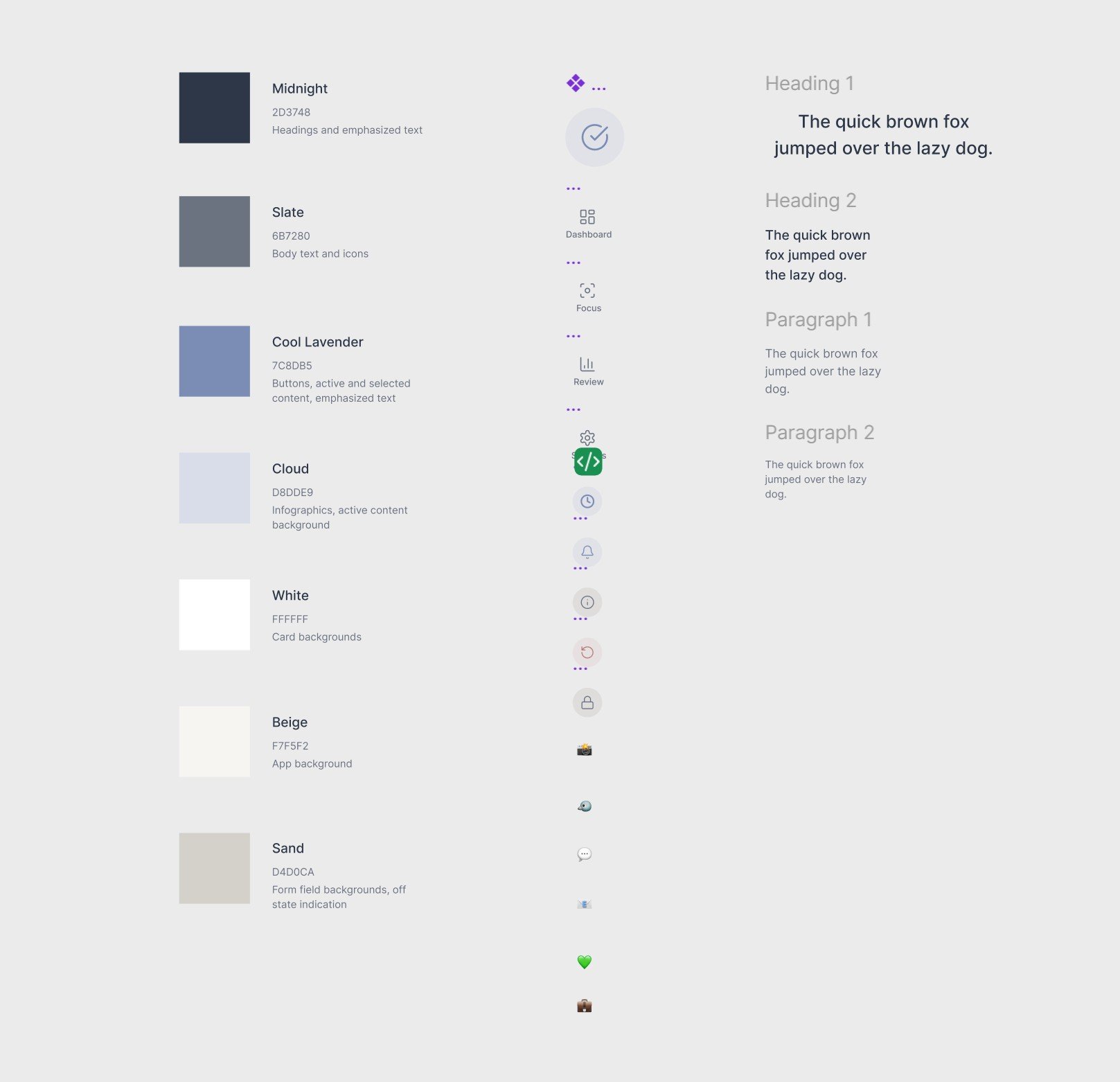
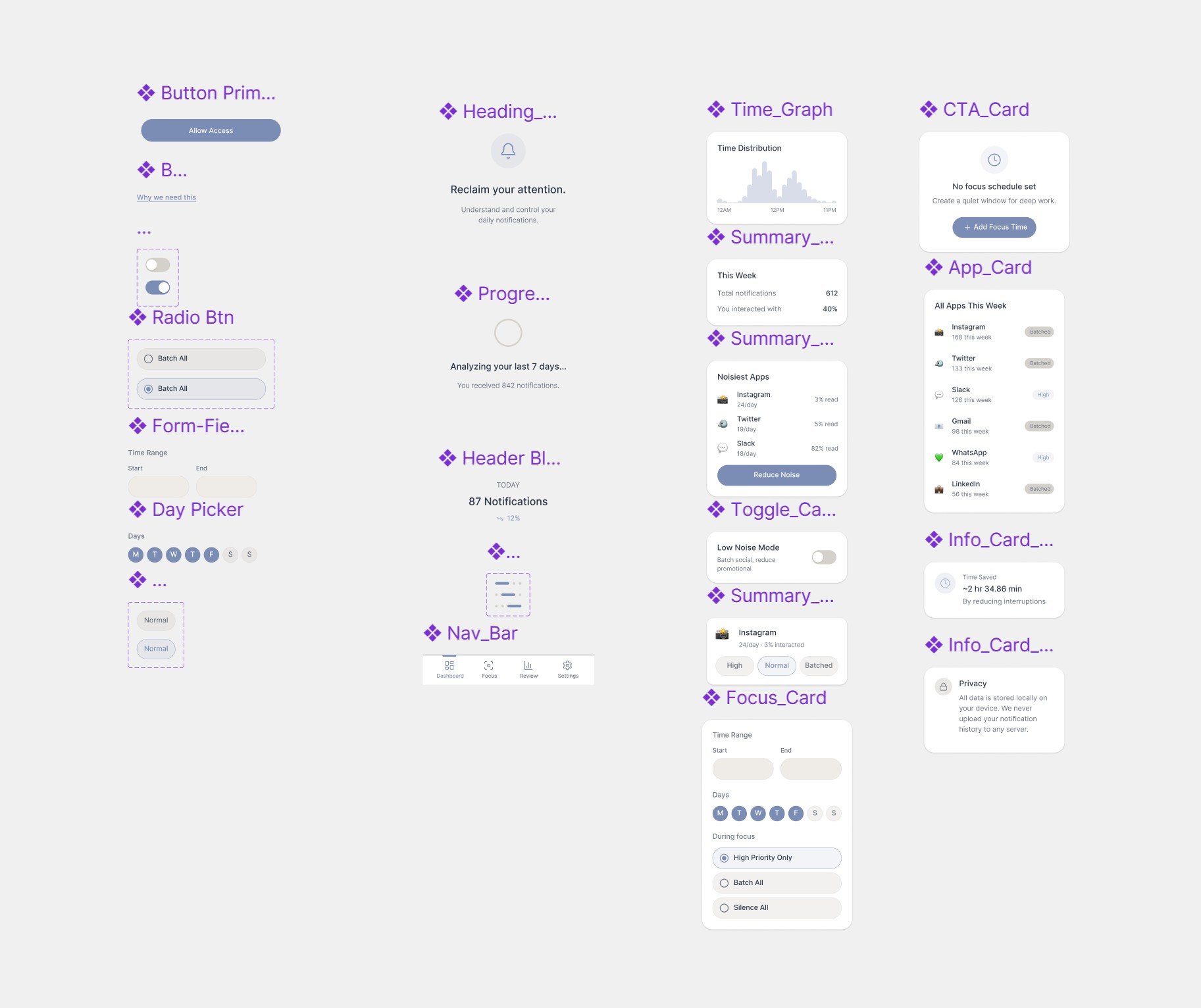
However, it was up to me to extract and organize all of the individual design elements. After exporting the Make file to a Design file I was able to isolate key components and the tokens they were built from.
Summary
This experiment showed me that certain points of the design process can certainly be expedited or amplified with AI tools like Figma Make. However, they certainly do not replace the need to have a grounded concept and strong MVP feature set before painting pixels.